Extensions
  • Home
  • Add-ons
  • Themes
  • Approval Queue
  • About
  • Sign in
  • BLENDER.ORG

    • Download

      Get the latest Blender, older versions, or experimental builds.

    • What's New

      Stay up-to-date with the new features in the latest Blender releases.

    LEARNING & RESOURCES

    • Blender Studio

      Access production assets and knowledge from the open movies.

    • Manual

      Documentation on the usage and features in Blender.

    DEVELOPMENT

    • Developers Blog

      Latest development updates, by Blender developers.

    • Documentation

      Guidelines, release notes and development docs.

    • Benchmark

      A platform to collect and share results of the Blender Benchmark.

    • Blender Conference

      The yearly event that brings the community together.

    DONATE

    • Development Fund

      Support core development with a monthly contribution.

    • One-time Donations

      Perform a single donation with more payment options available.

-->

About

Blender Extensions Platform

The Blender Extensions platform is the online directory of free and Open Source extensions for Blender.

The goal of this platform is to make it easy for Blender users to find and share their add-ons and themes, entirely within the Free and Open Source spirit.

The platform only offers GNU GPL compliant software.

How to get started

  1. Download a recent daily build of Blender 4.2 Apha.
  2. Enable the experimental feature: Prototypes → Extensions.

Now you can should be able to browse and install extensions in Blender:
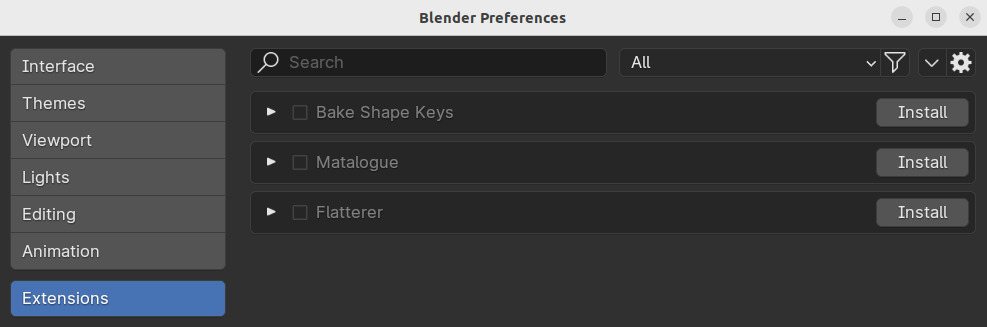
User Preferences →  Extensions

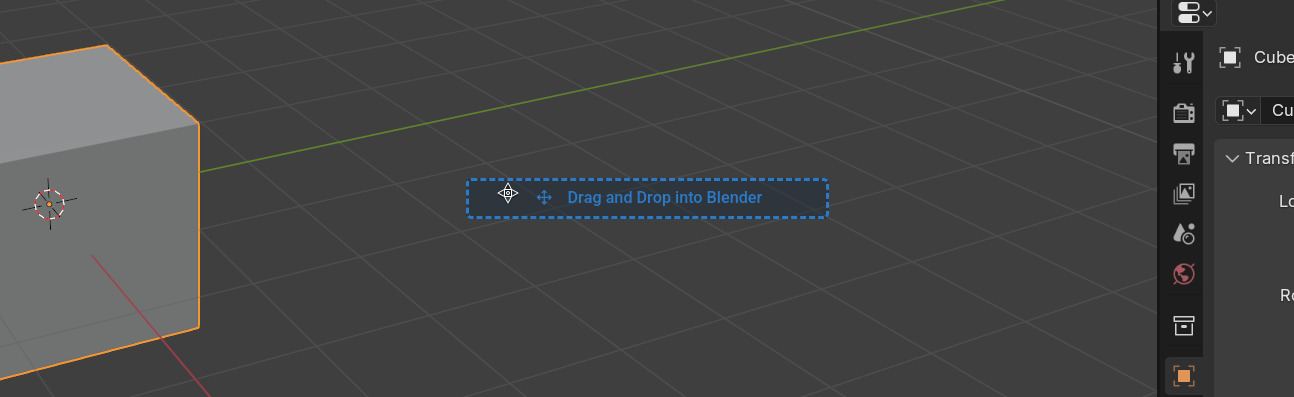
You can also explore the extensions in this web-site and install them via drag & dropping into Blender.

Follow these 5 simple steps

  1. Find an extension that suits you click on the Get button.

'Get Add-on' button

  1. Drag the button out of the website ...

'Drag and Drop into Blender' button

  1. ... into Blender.

Link dragged into Blender

  1. You will be prompted about installing and enabling the extension. Confirm to download it.
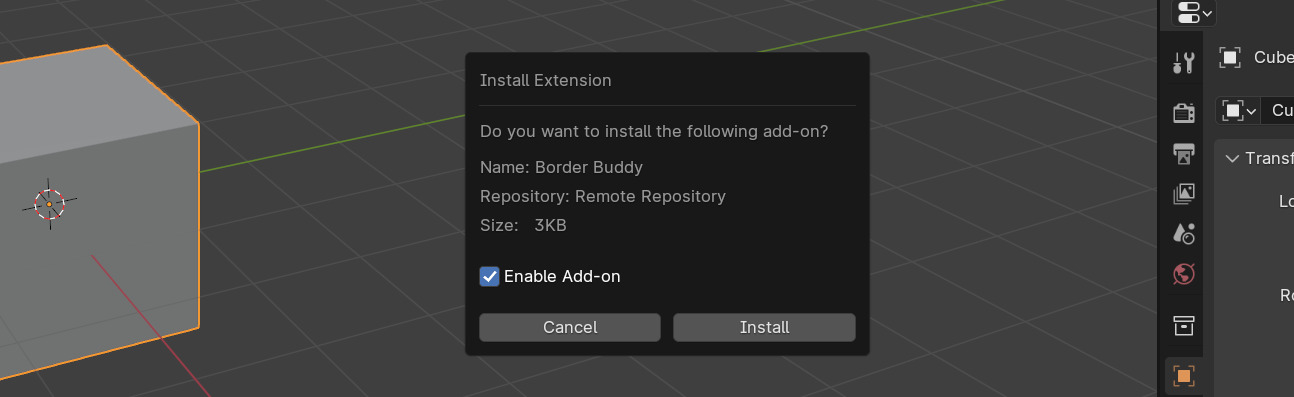
Install & Enable

  1. Enjoy your newly installed extension

How to publish an extension

  • Read the Terms of Service.
  • Follow the guidelines in the User Manual.
  • Upload your Extension.
  • Wait for Review.

See also

  • Terms of Service
  • Report a Bug
  • About
  • Terms of Service
  • 豫ICP备2024041444号